Best Free Canva Alternative Image Editor
If you have been searching for a free Canva alternative that does not lock essential features behind a paywall, you are not alone. Millions of content creators, small business owners, and social media managers need a reliable online image editor that is powerful, free, and runs entirely in the browser. That is exactly what Small Image Tools delivers.
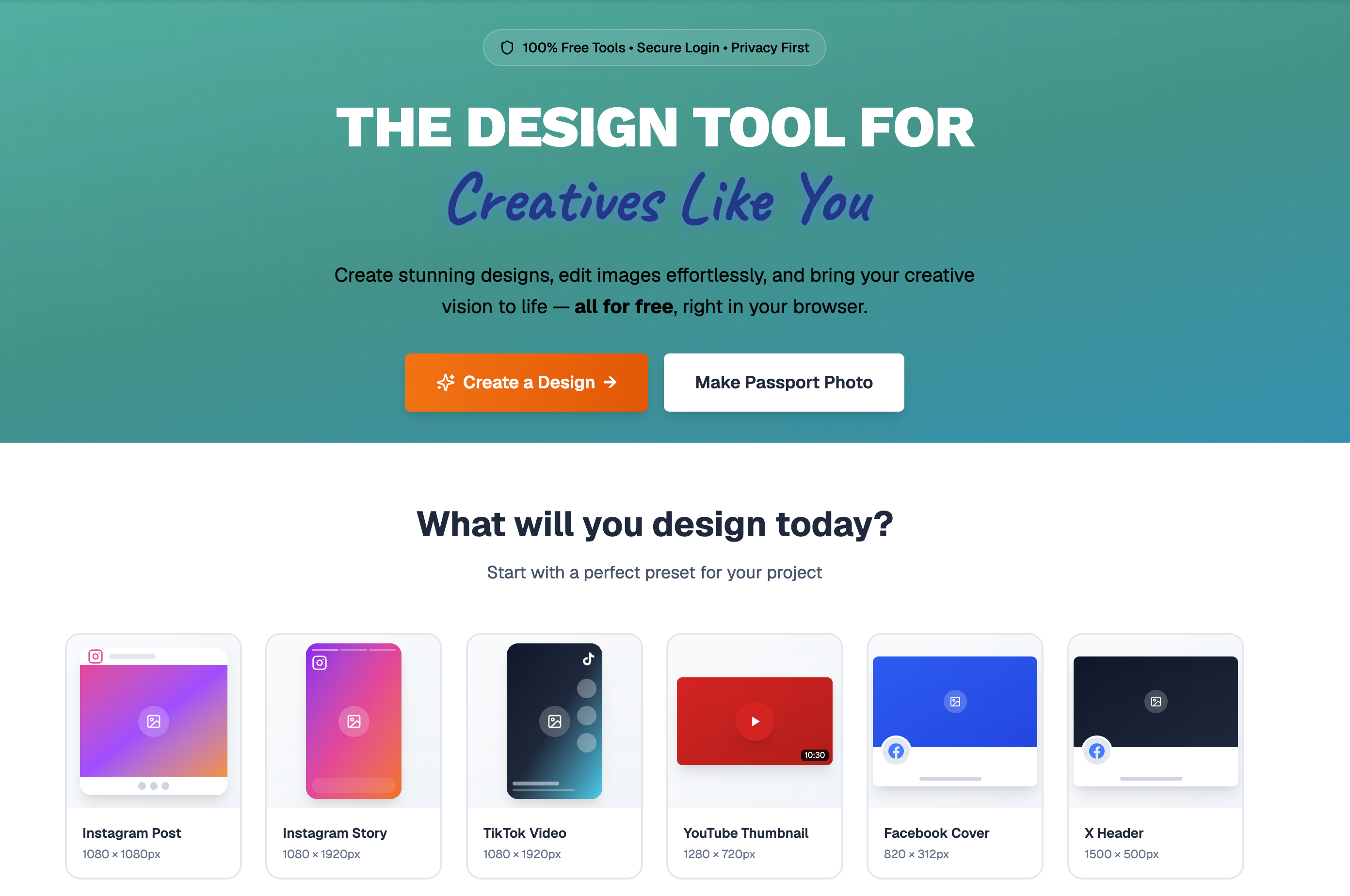
Free Image Editor
Edit images online with our powerful canvas editor. Add text, shapes, filters, and more.
Passport Photo Tool
Create compliant passport photos instantly. AI-powered validation ensures accuracy.
Unlike Canva, which increasingly gates its best features behind Canva Pro, Small Image Tools gives you a professional-grade free online design tool with no watermarks, no forced sign-ups for basic editing, and no surprise subscription prompts. In this article, we will walk through every major feature and explain why it stands out as the best free alternative to Canva available today.
A Full Canvas Editor That Rivals Canva
At the heart of Small Image Tools is a **browser-based canvas editor** built for serious design work. You get multi-canvas support, real-time rendering, full undo/redo history, and auto-save so you never lose progress. The editor supports 12 ready-made **social media design presets** including Instagram Post, Instagram Story, TikTok Video, YouTube Thumbnail, YouTube Banner, Facebook Cover, LinkedIn Post, Pinterest Pin, Presentation, and more. You can also set custom dimensions for any project.
Where Canva charges you for premium templates, Small Image Tools includes **free social media templates** for YouTube, Instagram, TikTok, Twitter/X, Facebook, and generic marketing banners. Each template is fully customizable with your own text, colors, images, and logos. Whether you are making a YouTube subscribe button, an Instagram story poll, or a LinkedIn cover photo, you can do it without spending a dime.
AI-Powered Background Removal for Free
One of the most popular features in any **online photo editor** is background removal, and Canva locks it behind its Pro plan. Small Image Tools offers **free AI background removal** powered by a machine learning model that runs directly in your browser. Your images never leave your device, making it both fast and private.
For users who need even higher quality results, a Pro-tier background removal option is available using cloud-based AI. But for most everyday use cases like product photos, profile pictures, and social media posts, the free tier handles the job beautifully. This alone makes Small Image Tools a compelling **Canva alternative for background removal**.
Professional Text Editing and 900+ Fonts
Text is at the center of most designs, and Small Image Tools does not cut corners here. You get access to **900+ Google Fonts** with real-time preview, full control over font size, weight, letter spacing, line height, alignment, and color. Add text shadows with adjustable blur, offset, and color. Apply strikethrough or underline effects. Adjust opacity for layered text designs.
There is even a collection of **cartoon text presets** like POW, BAM, BOOM, and ZAP for fun, comic-style designs. Canva offers similar text tools, but many of its premium fonts and text effects require a paid subscription. With Small Image Tools, everything in the text toolkit is free.
20+ Shapes, 150,000+ Icons, and Drawing Tools
The shape library includes over 20 built-in shapes: rectangles, circles, triangles, hexagons, pentagons, hearts, arrows, speech bubbles, clouds, lightning bolts, and more. Every shape supports fill color, border width, border color, shadow effects, opacity, and full transform controls.
Need icons? The integrated **Iconify icon picker** gives you access to over 150,000 icons. Search, browse, resize, recolor, and drop them directly onto your canvas. This is a feature that Canva restricts heavily in its free tier.
For freehand work, Small Image Tools offers **8 brush types**: Pencil, Circle, Spray, Calligraphy, Pattern, Dodge/Burn, Effects, and a Color Picker tool. Each brush is customizable with size, color, shadow, rotation, and spacing controls. The Pattern brush even supports dot, line, crosshatch, and wave fills. The Effects brush lets you paint decorative elements like stars, hearts, leaves, and sparkles. This level of drawing capability goes beyond what Canva offers even in its paid plan.
Image Effects and Filters
Apply professional **photo filters and effects** with a single click. Small Image Tools includes preset filter categories like B&W, Vintage, Warm, Cool, Bright, Soft, and Dramatic. Beyond presets, you get granular control over brightness, contrast, highlights, shadows, saturation, hue, color temperature, vibrance, clarity, sharpness, blur, pixelation, noise, grayscale, sepia, and invert.
This is the kind of **advanced photo editing** that typically requires desktop software like Photoshop. Having it available for free in a browser-based editor is what sets Small Image Tools apart from other **free Canva alternatives**.
Crop, Resize, Compress, and Convert
Small Image Tools is not just a canvas editor. It includes a full suite of **standalone image tools** that each solve a specific problem:
- •
Image Crop Tool with preset aspect ratios and visual proportional previews for Free, 1:1, 4:3, 3:2, 16:9, 21:9, 9:16, 4:5, and 2:3
- •
Image Resize Tool with batch support and platform-specific presets
- •
Image Compression Tool that reduces file size by up to 80% with smart algorithms and quality control
- •
Image Format Converter supporting PNG, JPG, WEBP, TIFF, GIF, and HEIC with batch conversion
- •
Flip and Rotate Tool with custom angle precision
- •
Watermark Generator for text and image watermarks with opacity, position, rotation, and size controls
Each of these tools works instantly in the browser with no upload to external servers. Your files stay private, and processing is fast because everything runs client-side. For anyone searching for a free image resizer, free image compressor, or free image converter, these standalone tools are a major draw.
QR Code and Barcode Generator
Need a QR code for your marketing materials? Small Image Tools includes a built-in QR code generator that creates QR codes from URLs or text. Customize the size, colors, and error correction level. You can also generate barcodes in multiple formats. Drop the generated code directly onto your canvas or download it separately. Canva offers QR codes only through third-party apps, making this a cleaner, more integrated experience.
AI Object Removal and Image Restoration
Small Image Tools goes beyond basic editing with AI-powered tools for object removal, image upscaling, and photo restoration. The object removal tool uses content-aware inpainting to erase unwanted elements from photos. The AI upscaler enlarges images up to 4x without blur or quality loss. The restoration tool fixes old, scratched, or faded photographs.
These are the kind of AI photo editing tools that competitors charge premium prices for. Having them accessible in a single platform alongside the canvas editor and standalone tools makes Small Image Tools a true all-in-one solution.
Layer Management and Advanced Selection
The editor includes a full layer management system with visibility toggles, ordering controls, grouping/ungrouping, lock/unlock, and rename capabilities. The Select Tool supports multiple selection shapes including freehand, polygon, rectangle, ellipse, triangle, and hexagon. You can move, extract, duplicate, or delete selected regions. There is also a Slice Tool that lets you draw a line to cut objects in two.
A Clip and Mask tool allows you to create clipping paths and shape-based masks for images. These are professional features that put Small Image Tools on par with desktop design applications, not just other free online design tools.
Export in 7 Formats Including PDF and SVG
When your design is ready, export it in PNG, JPG, PDF Standard, PDF Print, SVG, GIF, or TIFF. Adjust quality settings, export multiple canvases at once, and choose custom file names. PNG export supports transparency. PDF Print mode outputs high-quality files ready for professional printing. SVG export produces scalable vector files for web design.
Canva restricts SVG and transparent PNG downloads to Pro users. Small Image Tools offers all export formats for free.
Share Directly to Social Media
Built-in sharing options let you post your designs directly to Facebook, LinkedIn, Twitter/X, WhatsApp, and email. Generate shareable links or download files to your device. No need to leave the editor to distribute your content.
Passport Photo Tool with AI Validation
A unique feature not found in Canva at all: the AI-powered Passport Photo Tool. It generates compliant passport photos for US, UK, EU, and other international standards. The tool uses AI to validate your photo against official requirements, automatically removes the background, and optimizes sizing and positioning. This specialized tool alone is worth bookmarking.
Why Small Image Tools Is the Best Free Canva Alternative
The case is straightforward. Canva is a great product, but its free tier has become increasingly limited. Features like background removal, transparent PNG export, SVG download, premium templates, and advanced effects all require Canva Pro at $13/month.
Small Image Tools provides all of these features for free. It runs 100% in your browser with no software to install. Your images are processed locally for maximum privacy and speed. The editor is mobile-responsive with touch-friendly controls. And the combination of a full canvas editor, standalone image tools, AI-powered features, and social media templates makes it the most complete free alternative to Canva available today.
Whether you are a content creator, marketer, small business owner, student, or anyone who needs to edit images and create designs without paying for expensive software, Small Image Tools has everything you need to get professional results at zero cost.